Case study

Scout Quest

An outdoor puzzle adventure where players purchase a physical box, then use a companion mobile app to explore real locations, solve clues, and compete for the fastest time.

Role
Solo developer
Type
Full-stack product
Platforms
Web, iOS, Android
Location
Nashville, TN
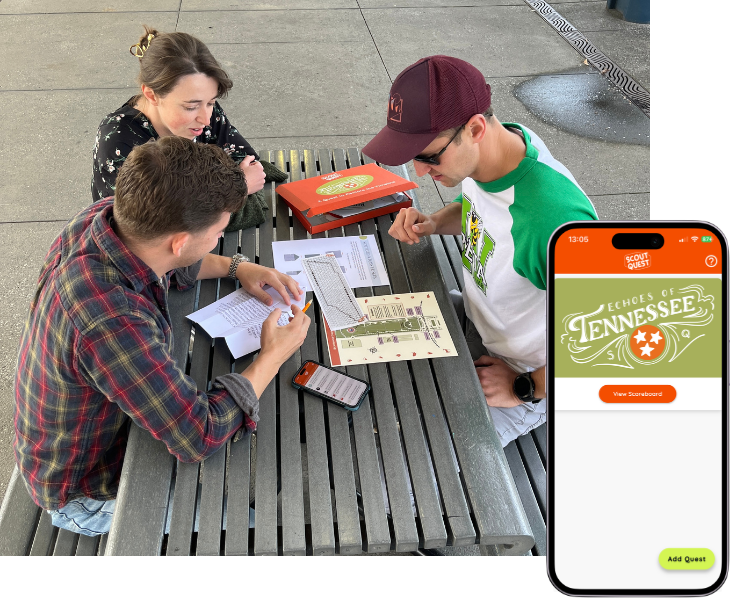
Scout Quest app and Bicentennial Park

Part escape room, part scavenger hunt

Scout Quest is a physical-digital adventure game. Players purchase a quest box online, which ships to their door with printed materials and props. They then head to a real location and use the companion mobile app to work through a series of clues, confirm their answers, and track their time.

The app keeps track of where players are in the quest, lets them unlock hints at a time penalty, and submits their final score to a live leaderboard when they finish.


One person, three separate products

Scout Quest is made up of three interconnected systems that all need to work together. There's an e-commerce website that sells the product and manages orders. There's a mobile app that players use in the field. And there's a backend that serves quest content to the app, processes payments, and handles fulfillment.

Building all three alone meant making deliberate decisions about scope and architecture and making sure each system could talk to the others reliably.


Sell the box, manage the orders

The website exists to sell the product and get boxes out the door. Built in Rails, it handles the full purchase flow through Stripe Checkout including promo codes, shipping options, and pickup date selection for local customers.

Orders come in through a webhook-driven pipeline that processes Stripe events, creates order records, and triggers confirmation emails automatically. An admin dashboard allows orders to be filtered by status, mark them fulfilled, capture tracking numbers, and print shipping labels without touching the database.

Stripe Checkout with promo codes and shipping options
Full payment flow with percentage and fixed-amount discounts, dynamic shipping, and custom pickup-date selection.
Webhook-driven order pipeline
Idempotent Stripe webhook handler creates orders automatically from checkout events, with fulfillment-specific confirmation emails.
Admin dashboard
Protected back office for managing orders, capturing tracking numbers, printing labels, and moderating the leaderboard.

A clue keeper for the field

The mobile app is what players actually use while they're out exploring. It's built in Flutter and runs on both iOS and Android. Its job is to guide players through the quest, one clue at a time.

Each clue can be text, an image, or an audio recording. Players work through them in sequence, submitting answers to confirm a solve before moving on. If they're stuck, they can unlock hints, but each hint adds a time penalty to their final score.

Progress, hint usage, and timing all persist locally so the game survives a dead battery or lost connection. When the quest is complete, scores are submitted to a Firebase Firestore leaderboard.

Multi-format clues
Clues can be presented in a variety of formats: Text, image, audio, drag-and-drop ordering, and secret code entry.
Hint system with time penalties
Tiered hints with unlock dependencies create a risk/reward dynamic.
Offline-first persistence
All progress is saved locally so gameplay survives app restarts and connectivity drops in the field.
Live leaderboard
Scores submit to Firebase Firestore and rank teams by completion time, with hint counts and penalty tracking.
Built for the job

Each layer uses the right tool for what it needs to do. Rails for the web backend, Flutter for cross-platform mobile, Firebase for real-time leaderboard data.

Web backend
Rails 8 / Ruby 3.4
Database
PostgreSQL / SQLite
Payments
Stripe
Mobile app
Flutter / Dart
Leaderboard
Firebase Firestore